
What is Ploom AURA?
A new way to experience true flavour
True Flavour Throughout
Smart technology, smoother sensations
Ploom AURA's Smart HeatFlow technology heats instead of burning, ensuring consistent performance throughout use.
Goes With You
Slimmer and more convenient.
Sleek curves and premium materials give Ploom AURA a distinctively stylish look that fuses balance and durability. Its slimmer size and fluid design makes it a natural fit for your palm, pocket, or purse making it easy to carry throughout the day. And with our range of elegant colours and stylish accessories, you can personalise your AURA to express yourself and make your experience even more seamless.
Ready When You Are
A smarter, more intuitive device.
Ploom AURA auto-starts when a refill is inserted and quickly reaches its optimal operating temperature for consistent use. Each five-minute session supports continuous use in Default heating mode, with session length and heating settings adjustable via the Ploom App.
Next Level Experience
Stay in the Moment
No fire, smoke, or ash make AURA a better fit for more social occasions.
Don't Rush the Ritual
Ploom AURA’s Smart HeatFlow technology gives perfectly timed rituals.
Power for a Pack
Ploom AURA's battery has enough power to heat 20 refills.*
* Estimated 20 refills per charge in default heating mode.
Unlock More with the Ploom App
Adjust the intensity of your experience, locate your device, enable your personal lock, manage your battery, and more. Learn more
Express Yourself with New Ploom Accessories
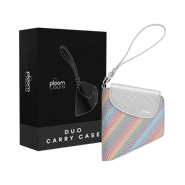
Customise your setup and match your look with our stylish and practical range of AURA accessories.
Personalise Your Ploom AURA
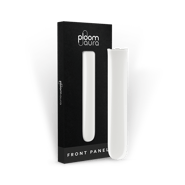
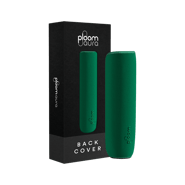
Transform your device's look with our striking new range of front panels and matching back covers, plus exclusive limited editions that truly stand out.
Ploom AURA FAQs
Introducing Ploom AURA, the intuitive heated tobacco device. Sleek, compact and the smartest device yet, Ploom AURA combines seamless design with leading technology to bring you true flavour.
Powered by our signature Smart HeatFlow™ technology, tobacco is heated rather than burned, providing consistent performance from start to finish.
Customise your heating preferences through Ploom AURA's dedicated app, or personalise your device with colours and accessories to match your style.
If you’d like to know more, head over to our blog.
Your new Ploom AURA will arrive set to Shipping Mode. To exit Shipping Mode, you'll need to plug it in briefly, connecting the USB-C cable to the base of your device.
You can charge the device for just a few minutes and start using it straight away. Alternatively, if you want to fully charge the device, leave it plugged in until the line LED flashes ten times and vibrates simultaneously.
Ten LED light flashes will only happen when you exit Shipping Mode. Every time you charge your device from now on, the LED light will blink twice and then turn off to indicate a fully recharged battery.
Getting started with Ploom AURA couldn't be simpler. Here's how:
- Open the top slider on your device, uncovering the aperture. (When you open the slider, the LED will indicate your device's current battery level.)
- Insert a refill gently until it stops—the coloured line on the refill will disappear just below the hole (you can see the line if you angle the device).
- With the new Auto-Start function, the device will begin heating automatically and the line LED will blink to indicate pre-heating is in progress. Wait until the device vibrates twice.
- Draw gently in the beginning until you find your way. For the best experience, we recommend taking slow draws of 2-3 seconds. Your session will last for five minutes [1], allowing unlimited puffs [2].
To use Ploom AURA without its Auto-Start function, press and hold the button area, just below the line LED, for about a second. You'll feel one long vibration and see a blinking LED light, indicating your device has started heating.
Ploom AURA will pre-heat in 25 seconds for all modes, except when set to Intense mode, which will take 30 seconds.
[1] Session length differs for different modes. Balanced heating mode is set by default with a session time of 5 minutes.
[2] ≥20 refills in 25° C environmental condition. No of refills per charge varies with heating profile, battery degradation and actual usage conditions.
During regular charging, the LED line blinks until fully charged. When the battery is fully charged, the LED line will blink twice and then turn off.
However, if you plug in a brand new Ploom AURA device to exit Shipping Mode, you can also choose fully charge the battery. For this very first time, the LED line will blink ten times and turn off to indicate a full charged battery.